

Rich Dad Poor Dad Book Review

Summary
This book is named after Robert’s two fathers. His poor dad was an academic man with a PhD. His rich dad dropped out of the eighth grade. As an impressionable 9 year old boy he sought the secrets of the rich. Both his fathers had extreme differences in opinions. The book takes you through the lessons he learned from each dad.

Target Audience

Rich Dad is written to change the mindset of the reader. It very much targets the strategic level of personal finance. Instead of offering specifics on finance he offers a completely different way to look at money. The target audience are those people who are beginners. Beginners can be people with a lot of money or people with very little. Being rich has more to do with how you spend your money and less to do on how much you make.

How it affected me
This is a book that completely changed the way I think about money. This book grabbed me by the shoulders, shook me, and left me wide awake. There are some powerful truths in this book. Now I cringe when I hear about family and friends of mine buying bigger liabilities (i.e. Homes, cars, and consumer debt). While I’m tempted to buy toys instead of cash generating assets Rich Dad’s message comes into my head. I know that buying assets first requires more self control but the freedom in the future will be worth it.

Criticisms

One of the major criticisms is that “Rich Dad Poor Dad doesn’t give specifics on how to get rich”. I don’t know if I missed something but the book never indicates it’s going to teach specifics. Instead the book talks about the author being trained for almost 20 years before he ‘tests his wings’. The examples he does give are more overviews on how to think creatively about making money. The author encourages the reader to seek out ‘new recipes’ for making money. It’s an unfair criticism in that a single book can’t teach all things money related.

The next criticisms is the authors relationship to MLM or Multi Level Marketing. While he does advocate joining an MLM to build confidence and salesmanship he doesn’t say it’s the only way to do so. He offers his background in sales with Xerox as his personal example. He indicates that Xerox had the best corporate sales programs in the nation and he wanted to learn sales. He also joins the armed forces to learn how to lead troops. The criticism is blown out of context.

Memorable Quotes and Points

  • Robert Kawasaki has a best friend named Mike. Mike’s dad is “Rich Dad”. The two boys agree to be taught by Mike’s dad. They’ve just worked for ten cents an hour every Saturday for a month. Both boys want a raise. In the park Mike’s dad asked them if they have learned any lessons yet. They shrug their shoulders. He continues:

    “If you learn the lesson you’ll enjoy a life of great freedom and security. If you don’t learn the lesson you’ll end up like Mrs. Martin and most of the people playing softball in this park. They work very hard for a little money. Cling to the illusion of job security. Looking forward to a three week vacation and a skimpy pension after 45 years of work Now if that excites you, I’ll give you a raise to 25 cents an hour.”

    “Most people never see the trap they’re in…it’s fear and ignorance that keep people trapped.”

  • In some of his seminars he uses his CashFlow board game to teach with. There are some who draw an opportunity card and don’t have enough money to act on it. There are others who draw the same card, have the money, and are too afraid to act. Then there’s the majority of people that draw the card and have no idea that it’s a really nice opportunity.
  • Invest in assets instead of saving.
  • Learn how to read your personal balance sheet and income statement. In other words, become financially literate.
  • The poor buy liabilities. The middle class buy liabilities and believes they are assets. The rich buy assets first and buy liabilities with the extra cash those assets produce.
  • Select a job by what you’ll be learning not what you’ll be earning.

Conclusion
If you’ve read the book please leave a comment below.
Tagged with:
 

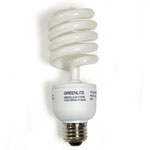
Compact Fluorescent Light BulbThere are some really easy ways to start being frugal. This list is just the beginning to saving a lot of money.

Automotive
Check your tires’ air pressure. This can increase your gas mileage by more than 10% depending on how bad they are. Make sure you do it at least each time the temperature changes.

Maintain your car. This is really hard for me to do. It seems like I’m flushing money down the toilet when I have to pay for repairs on my car. But maintenance is different than repairs. Getting regular oil changes, changing the air filter, and getting the wheels balanced will prevent major repairs and save you in gas money too.

Consolidate your trips.
To save money on gas try making lists and only going places once. As the lists fill up make a single trip to the store. You’ll save time, money, and gas by cutting your little trips to the store for the occasional food item. A list at the grocery store will prevent impulse purchases as well.

In addition to making a list try planning your route. If you are coming past the hardware or the dry cleaner on the way home stop off then instead of making a special trip.

Home
Change the filter in your furnace. My dad is a professional heating and A/C man. Do you know the single biggest thing that makes him money? People not changing filters regularly. Dirty filters break more machines than any other factor combined. A new filter costs less than a dollar and is easy to replace. A dirty filter will drive up you’re A/C bill because your furnace is working overtime trying to move enough air through your house to get it to temperature. Changing the filter every 3 months is best but every six weeks would be better. You’ll be healthier and your utility bill will be lower.

Lower the thermostat in the winter and make it higher in the summer. Leaving your thermostat on 68 is a great way to cut your gas and electric bills down. The same goes for keeping the thermostat at 72 in the summer months. If you just can’t get warm at 68 degrees try a long sleeve shirt, slippers, and avoid lounging in your underwear. To feel nice a toasty try jumping on your treadmill or sipping some hot chocolate.

Make the switch to florescent light bulbs. As your incandescent light bulbs blow out replace them with the new florescent light bulbs. Each bulb you replace will save you up to 8 times the electricity usage. And if you’re wondering, yes, they are worth the investment. Depending on your electric bill the payoff time will vary. Not only do these new bulbs use less energy but they last longer, much longer. One word of warning, don’t buy the cheap ones. I did and I regret the decision. The no name cheap bulbs work fine at first but their life expectancy is very short. Buy the name brand bulbs and you’ll be happy you did.

Personal Finance

Take the credit cards out of your wallet. Consumers will spend billions of dollars in interest payments this year on consumer debt. Switching to an all cash way of life will save you from paying interest. While credit cards are convenient they can eat you alive without you even knowing it. The best thing to do is to cut up your cards. The next best thing is to take them out of your purse or wallet.

Limit your exposure to advertising. You’d be surprised how well marketers can make a ‘want’ become a ‘need’. Cutting the advertisements from your life can be difficult but there are some ways that work. For starters try renting a movie instead of watching one on cable. If you have a local library you can rent many of the TV shows running on prime time after the DVDs are released. Try to avoid shopping malls and new car lots. The less you know about a new product the less likely you are to think about it.

Make a budget. Budgets don’t have to be extravagant. Try something simple. If you know you spend a lot of money eating out every week try setting your budget to 20 dollars or less. Many bills that come in the mail just need to be paid but try paying yourself first. Setting little rules up like “I will pay myself 10% of each paycheck” is a great rule to live by. Once you pay yourself put that money into investments.

Make your meals at home.
I am always blown away at how much money I spend on restaurants. It doesn’t take long for the money to add up. Make eating out a treat and only go with friends and family. Making food at home can be enjoyable. Recently my wife and I have been experimenting with making the perfect pizza. We try different dough recipes and use different sauces. We’ve also bought this cookbook: The New Best Recipe Book. I’ve found that the quality of the food I eat is much higher. It’s also healthier and cheaper too.

Free Entertainment. Libraries are full of great free entertainment. I’m not just talking about books either. As mentioned earlier libraries have a lot of audio books, DVDs, and videocassettes of new popular media. If you haven’t been there in awhile you might be surprised at what you’ll find. There are also a lot of free things to do in most cities. Museums, live shows, and art galleries can have a lot of hidden gems of fun. The other place to find a lot of free entertainment is the internet. No, I’m not talking about naughty pictures either. There are hours of great content to be found on podcasts, youtube, and blogs. Lastly spending time with the ones you love is always free. Play board games, cuddle, or tell each other stories.

The Final All Encompassing Tip

Plan Ahead. If there is one financial tip that will save you thousands it’s to plan ahead. Plan your grocery list, your budget, and your financial goals. The less planning you do the more you’ll be hit with a ‘poor-planning-premium’. Cell phone companies, grocerie stores, gas companies, and everyone else in the market charges a lot for people that prefer not to plan. Beat the curve and think everyday life through once a week.

Tagged with:


When buying a digital camera one feature is talked about more than anything else…How many mega pixels does it have? More mega pixels means a better camera, right? Wrong! The bottleneck for digital camera quality used to be mega pixels. Going from a 1 Mega Pixel to a 2 Mega Pixel camera meant a huge increase in quality. As digital camera’s developed consumers became very sensitive to mega pixels. In fact, the entire digital photography market shifted into high gear to make cameras with more mega pixels. Consumers still believe that going from a 5 mega pixel to a 12 will increase the quality of their pictures. The truth is making that jump will most likely make worse pictures not better. Here’s why:

Pixelation VS Noise
Cameras with lower pixel counts have pixelation problems. When a camera has too many pixels without increasing the sensor size there are problems with noise. The happy medium for compact cameras is around 6 MP.

You can only make the pixels so small

To increase pixel count camera manufacturers have to fit more pixels on the same sensor. The sensor goes from looking like this:
Big fat juicy pixels
To this:
Crappy little pixels
At some point the pixels are so small that they can’t perform like they used to. When this happen more noise and errors occur. There is not enough area for a pixel to read the light correctly.

Image data is bigger too
Not only does it take longer for a camera to store large pictures you’ll spend more time uploading and editing them. Large pictures take up more space on your hard drive.

On a personal note, it bothers me when I want to take a follow-up picture and my camera isn’t ready. The extra time it takes to process the large pictures is the cause of this delay. To test this out for yourself try making the image size smaller. Notice how much quicker your camera is ready to take those follow-up shots?


How to fix the problem

There is a balanced ratio of pixels, to sensor size, to lens size. As you increase your pixel count the sensor size and lens needs to increase as well. Most people won’t appreciate their compact camera getting bigger and bigger as the sensor and lenses get larger. So the real solution is to get lower mega pixels with as large a sensors possible.

What if you buy a 12 MP camera and only use the 6 MP setting? Will this fix the problem?
No. Your sensor would read the new setting like this:
6megapixelpicture.jpg

You could not get around the problem by lowering your image size setting. The sensor has already been manufactured to fit all the pixels on it. The only way to fix the problem is to buy a camera that already has 5 to 6 MP as its maximum.

What the market has to offer

I did hours of research on dpreview.com to find the camera with a balanced ratio of sensor to mega pixels. More than 80% of the cameras made since 2005 have the smallest sensor available (1/ 2.5”). Those cameras with a tiny 1/ 2.5” sensor have been deleted from my list. Here’s an image showing the actual sensor sizes so you have an idea of what these numbers mean.

Click on Image to See the Actual Size of the Sensors

According to this article from 6mpixel.org to get 6mp you need a sensor of at least 2/ 3”. As far as I could see there isn’t a point and shoot made with those specifications. The only two options available are 1) Buy an SLR or 2) Get the biggest sensor available within the point and shoot category.

Tagged with:
 

Note:If you enjoy this list of software you might find these online applications & tools helpful. No need to install or download anything, they work in your browser.

Free software can save you hundreds and possibly thousands of dollars. The software listed below is completely free, doesn’t have malware or adware, is completely legal, and I use each of them personally. Most of them are Open Source. If you aren’t familiar with what Open Source is please read The Free Software Definition.

This list includes the most popular software within their categories. You’ll find a software solution for all of your daily needs. If you have any suggestions or ways to improve the list please leave a comment.

Operating System

Ubuntu Logo
Ubuntu – Designed as a Linux alternative to Windows or Mac operating systems. A free operating system makes really cheap PC’s possible. Ubuntu is getting better all the time and its getting easier for the average user to install. One thing you’ll notice is that Ubuntu is FAST. Starting up your computer is fast, download times online are faster, and programs open quickly. If you know someone (read: parent) with a slow computer that always gets viruses and has a frustratingly slow computer install ubuntu. If you have an old computer/laptop install a copy and start getting used to it. You’ll be happy you did.

If you are thinking about upgrading to Windows 7 or getting a new computer Ubuntu is a great alternative. Ubuntu is designed for everyday use. The biggest downside is that it can’t run most of the big games for Windows. Smaller applications can be run inside a Windows emulator. Ubuntu comes pre-loaded with a bundle of free Windows alternatives. Ubuntu is gaining momentum and becoming more popular each day. If you use Ubuntu and like it please share what you know with your friends and family.

Anti Virus

AVG anti virus logo
AVG Anti-Virus – the most popular free solution available at no cost to home users and provides the high level of detection capability that millions of users around the world trust to protect their computers.

  • Easy to use, low system resources
  • Automatic update functionality
  • Real-time protection as files are opened and programs are run
  • AVG’s Virus Vault for the safe handling of infected files

Note: Avast also offers top rated anti virus protection

Personal Firewall

comodologo.gif
Comodo – The Award-Winning Free Firewall Software

  • Complete protection from Hackers, Spyware and Identity theft
  • Secures against internal and external threats
  • Host Intrusion Prevention System stops malware ever being installed
  • Delivers total end-point security for Personal Computers and Networks

Web Browser

FireFox Logo
FireFox – I’m an avid fan of Firefox for many reasons. Between the design, usability, and lack of features Explorer had me unsatisfied. Explorer has tried to update their browser but it looks like a thinly veiled ripoff of Firefox. In addition, the new Explorer froze up more often. Works with Windows, Linux, OS X

Most people that start using FireFox can’t live without it. The tabbed browsing and the customizations are very hard to beat. These other features are icing on the cake:
*Improved Tabbed Browsing
*Spell Checking
*Session Restore
*Web Feeds (RSS)
*Pop-up Blocker
*Phishing Protection
*Protection from Spyware

FireFox also has over 1,000 add-ons to choose from. You are sure to find something to make FireFox your own.

IM Chat

Pidgin - Open Source Chat Client

IM all your friends in one place! This little power house is compatible with everything. All your chat accounts will work here. It supports: AIM, Bonjour, Gadu-Gadu, Google Talk, Groupwise, ICQ, IRC, MSN, MySpaceIM, QQ, SILC, SIMPLE, Sametime, XMPP, Yahoo!, Zephyr.

Note: Try the ‘Off the Record’ plugin for added security. Everyone you chat with needs to have the OTR plugin installed too. For offices and regular conversations this added bit of privacy is nice.

Email

ThunderBird logo
Mozilla Thunderbird – It’s now even easier to organize, secure and customize your mail.

Office Software

Open Office Logo
OpenOffice – Compatible with all other major office suites, the product is free to download, use, and distribute. Includes a robust word processor (Word), spreadsheet (Excel) , presentation (PowerPoint), and database (Access).

Photo Organizer

picasalogo.jpg
Google’s Picasa – The easy way to share and manage your photos.

Picasa is a free software download from Google that helps you:

* Locate and organize all the photos on your computer.
* Edit and add effects to your photos with a few simple clicks.
* Share your photos with others through email, prints, and on the web: it’s fast, easy and free.

Take your photos further with Picasa from Google.

Direct link: Picasa for Linux

Music Player & Organizer

A big thanks to Brian for leaving a lot of great suggestions in his comment. He’s right, iTunes can make me crazy sometimes. I guess I have a soft spot for it because it helped me get into podcasting. But one of his suggestions is a downright winner (sorry iTunes).

Song Bird
SongBird – Not only does Songbird have everything you’d want in an audio program it also comes with a full library of add-ons. Customize your player ’til your hearts content.

Drawing & Photography

Gimp Photo Editing
Gimp – is a freely distributed piece of software for such tasks as photo retouching, image composition and image authoring. It works on many operating systems, in many languages.

If you’re used to Photoshop Gimp takes some getting used to. I still use it regularly because there is such a strong community providing great help and resources.

Screen Capture/Recording

Free Camtasia alternative
CamStudio replaces expensive Camtasia recording software.

CamStudio is able to record all screen and audio activity on your computer
and create industry-standard AVI video files and using its built-in
SWF Producer can turn those AVIs into lean, mean, bandwidth-friendly
Streaming Flash videos (SWFs)

Here are just a few ways you can use this software:

  • You can use it to create demonstration videos for any software program
  • Or how about creating a set of videos answering your most
    frequently asked questions?
  • You can create video tutorials for school or college class
  • You can use it to record a recurring problem with your computer
    so you can show technical support people
  • You can use it to create video-based information products you can sell
  • You can even use it to record new tricks and techniques you discover
    on your favourite software program, before you forget them

CD & DVD Burning

cdburnerxplogo.jpg
CDBurnerXP – a free application to burn CDs and DVDs, including Blu-Ray and HD-DVDs. It also includes the feature to burn and create ISOs, as well as a multilanguage interface. Everyone, even companies, can use it for free. It does not include adware or similar malicious components.

Media Player

VLC Player
VideoLAN – VLC media player – Thanks to Steele in the comments for suggesting this one. From the short time I’ve used it VLC supports a huge amount of video and audio formats. The interface is simple and clean. I know this will be a program I use for a very long time. Thanks again Steele!

From VLC’s website:
* It is a free cross-platform media player
* It supports a large number of multimedia formats, without the need for additional codecs
* It can also be used as a streaming server, with extended features (video on demand, on the fly transcoding, …)

Audio Recording

audacitylogo.jpg
Audacity – a free, easy-to-use audio editor and recorder for Windows, Mac OS X, GNU/Linux, and other operating systems. You can use Audacity to:

* Record live audio.
* Convert tapes and records into digital recordings or CDs.
* Edit Ogg Vorbis, MP3, and WAV sound files.
* Cut, copy, splice, and mix sounds together.
* Change the speed or pitch of a recording.
* And more!

3D Modeling

3D Modeling Software
Blender is the free open source 3D content creation suite, available for all major operating systems.

Features include:

  • Revolutionary non-overlapping and non-blocking UI delivers unsurpassed workflow
  • A range of 3D object types including polygon meshes, NURBS surfaces, bezier and B-spline curves, metaballs, vector fonts (TrueType, PostScript, OpenType)
  • Fast skeleton creation mode
  • Automated walkcycles along paths
  • Diffuse shaders such as Lambert, Minnaert, Toon, Oren-Nayar, Lambert
  • Realtime 3D/Game Creation
  • View all the features

Video Editing

avidemux_logo.png
Avidemux – a free video editor designed for simple cutting, filtering and encoding tasks. It supports many file types, including AVI, DVD compatible MPEG files, MP4 and ASF, using a variety of codecs. Tasks can be automated using projects, job queue and powerful scripting capabilities.

Video Capture

vdub logo
Virtualdub – a video capture/processing utility for 32-bit Windows platforms (95/98/ME/NT4/2000/XP), licensed under the GNU General Public License (GPL). It lacks the editing power of a general-purpose editor such as Adobe Premiere, but is streamlined for fast linear operations over video. It has batch-processing capabilities for processing large numbers of files and can be extended with third-party video filters. VirtualDub is mainly geared toward processing AVI files, although it can read (not write) MPEG-1 and also handle sets of BMP images.

File Compression/Zip

7zip.gif

7-zip

  • Supported formats:
    Packing / unpacking: 7z, ZIP, GZIP, BZIP2 and TAR
    Unpacking only: RAR, CAB, ISO, ARJ, LZH, CHM, MSI, WIM, Z, CPIO, RPM, DEB and NSIS
  • For ZIP and GZIP formats, 7-Zip provides a compression ratio that is 2-10 % better than the ratio provided by PKZip and WinZip
  • Self-extracting capability for 7z format
  • Integration with Windows Shell
  • Powerful File Manager
  • Powerful command line version

FTP Software

FileZilla FTP Solution
FileZilla – a fast and reliable cross-platform FTP, FTPS and SFTP client with lots of useful features and an intuitive interface.

  • Easy to use
  • Supports FTP, FTP over SSL/TLS (FTPS) and SSH File Transfer Protocol (SFTP)
  • Cross-platform. Runs on Windows, Linux, *BSD, OSX and more
  • Supports resume and transfer of large files >4GB
  • Powerful Site Manager and transfer queue
  • Drag & drop support
  • Configurable Speed limits
  • Filename filters
  • Network configuration wizard
Tagged with:
 

Don’t worry, I’m not talking about stealing Microsoft Office. You can have all the functionality of Word, Excel, and PowerPoint without spending $324.99 on Office 2007 .

Here’s where I tell you I lied. You actually get all the functionality of office without the cost but you don’t get Microsoft Office exactly. There’s a program I’ve recently downloaded that I LOVE and it’s free! Yes, it is completely legal and everyone is encouraged to use it. The program is called OpenOffice.
openoffice_logo.jpg
OpenOffice includes a database (like Access), word processor (Word), spreadsheet (Excel), presentation (PowerPoint), and even throws in two extra programs; Math and Draw.
Installation
The installation was easy to do and there were no problems. The download was easy but it took a little while to finish. Once I unzipped the package things went smoothly.

Writer

OpenOffice ‘Writer’ works better than MS Word
You can see from the tool bar and menus are very close to what you are used to in most word processors. There are two features that I really like about Writer: 1) There is an auto complete that offers a suggestion for the end of the word you’re typing. If you agree with the suggestion simply hit the space bar and OpenOffice will finish the word for you. 2) They offer an export to PDF button in the menu.

One of the best features about OpenOffice Writer is that it can open almost any file type. It doesn’t matter if it’s a .doc, .wps, or .xml it will open it. That feature alone is invaluable.

Calc

OpenOffice Calc Screenshot
Calc is OpenOffice’s spreadsheet program. It looks to have a robust set of tools and standard features like you’d see in Excel. The one thing I’ve really appreciated is that Calc has many of the word processing featured built in. The spell-check-as-you-go works great. It saves me the embarrassment of sending out a spreadsheet riddled with my poor spelling attempts.

Base

OpenOffice Base
Base is a database creator like Microsoft’s Access. Like the other applications it allows you to open and edit third party files. If you were to buy Access you’d have to pay extra for it because it’s generally not included in the standard office suite.

For a startup business OpenOffice’s Base could be a life saver.

Impress

OpenOffice Impress
Impress offers a wide range of tools and resources to make eye popping presentations. Because the community is so active you won’t have any problems finding new templates or add-ons to spice up your presentation. Impress definitely rounds out the OpenOffice offering, making it a very attractive tool for all your business needs.

Draw

openofficedrawbig.jpg
OpenOffice Draw provides the flexibility you might not find in a word processor or a power point slide. Draw gets out of the way and allows you to make a page with video, audio, charts, graphs, shapes, text, and more if you’d like. If you had a notepad and you were trying to write down all your ideas Draw gives you the same flexibility. So cut loose and create something fun with this one.

Summary

OpenOffice has done a great job in providing an alternative to the standard office suite. There has been a lot of thought put into each of these applications. In many ways they have invented a better mouse trap and are giving it away for free.

Download OpenOffice

Tagged with:
 

When considering a Roth 401(k) vs a Traditional 401(k) you need to do one thing: Find out if your employer offers Roth 401(k) retirement accounts. If they don’t most of this information will be interesting but you can’t take advantage of any of it until your employer makes Roth 401(k)s available.

In should be noted that Roth 401(k)s are coupled with Traditional 401(k)s. The maximum contributions for both combined cannot exceed $15,500 for the year. If you are 50 + an additional $5,000 per year can be contributed to “catch up”.

401K comparison chart
This chart shows 2006 numbers. Add $500 to the limits for 2008 standards.

Roth 401(k)

Contributions:

  • Contributions are made with after tax dollars
  • Contributions and earnings grow tax free. Because the money was already taxed it won’t be taxed when you pull it out.


Employer Match:

Employers match are sent to Traditional 401(k). Roth 401Ks can’t accept employer match money.

Max Contributions:
$15,500 per year. For those that are 50 years old or more can add an additional $5000 yearly.

Distibutions:

Qualified distributions can be made after 5 taxable years from the opening the account. In addition, you must have either:

  • turned 59 ½ in age
  • died
  • or became disabled

Nonqualified distributions are subject to income tax on earnings.

Hardship withdrawal guidelines are the same for Roth 401(k) as with Traditional 401(k).

Key advantages:

  • No income restrictions. (Roth 401(k)s are available to everyone making a salary with no max limitations while Roth IRA’s aren’t available to those who make more than $110,000 as an individual.)
  • Higher yearly contribution. $15,500 yearly maximum contributions instead of the Roth IRA minimum of $4,000
  • Earnings grow tax free

Disadvantages:

  • Not widely available among employers. Due to the extra cost in accounting and book keeping Roth 401(k)’s aren’t being adopted quickly.

Why a Roth 401(k) is the best choice (if available):
Politicians promise lower taxes each election year but somehow taxes have increased inevitably. As much as I’d love to have someone get rid of taxes I don’t think we’re going to reduce taxes anytime soon. Benjamin Franklin said it best “In this world nothing is certain but death and taxes.”

For this reason a Roth 401(k) is usually always the best choice when compared with a traditional 401(k).

The other side of the argument is if your income tax rate is high now but will be low when you retire a traditional 401(k) might be better.
If your income tax rate is low now and will be higher later the Roth 401(k) is better.

Traditional 401(k)

Contributions:

  • are made with pretax dollars
  • are tax deductible
  • are taxed when distributed.
  • No more than $15,500 plus $5000 if over 50 years old

Employer Match:
The maximum is 6% up to a $230,000 salary for a total of $13,800.

Distributions:
59 ½ is the earliest you can receive distributions.

Early withdrawals are subject to -10% penalty plus any taxes.

Minimum Required Distribution (MRD)

Begins the calender year when participant turns 70 ½ or the calendar year they retire. Required distributions may start even if the participant hasn’t retired. It begins April 1 of the year after reaching 70½.

Hardship Withdrawals:
Optional, varies among different plans
These conditions apply to spouse and minor dependents as well.
Some medical expenses
Some costs on the purchase of a primary residence
Tuition and educational expenses
Preventing foreclosure on primary residence
Funeral expenses
Hardship withdrawals are only available if there are no other means to pay these debts. In other words, this is a last resort.

401(k) Loans:

  • 1-2% above prime
  • Interest goes towards 401(K) account
  • Usually only one loan per 12 month period
  • Failure to repay loan could result in 10% penalty plus other taxes
  • If you leave your job, 60 days is a standard repay time
  • Most loans are 5 year loans


Additional Resources:

http://www.irs.gov/retirement/sponsor/article/0,,id=151926,00.html
http://www.irs.gov/pub/irs-pdf/p575.pdf
http://myretirement.retire.americanfunds.com/tools/calculators/roth-401k.htm


This is a summary and should only used for informational purposes only. Always consult a tax expert before making any decisions regarding your own financial plans.

Tagged with:
 

Is it time for a new car?  Fat girl model on truck.

To stay competitive local dealers are posting their inventory on the internet. With this new development it becomes easier to pit the dealers in your area against each other in a price war. The time of year, time of month, and type of car all play a role in how desperate a dealer will be to close a sale.

These negotiation tactics work best when buying a new car. New cars narrow the options and leave less ‘wiggle room’ in the negotiation. Used cars are so different in mileage, features, and age that it would be difficult to find an a group of cars that are exact matches. Additionally, used cars don’t have the sales incentives from the manufacturer like new cars have.

With that in mind, these are the tactics you’ll use to get a great deal.

1 – Define your car. Find the exact car with the exact features you want. Know the mileage you want the car to have. Know what the car’s dealer price is. If you go into the negotiation with a soft definition of what you want you will lose.

2 – Find the dealers in your area that have your exact car. Use a website like Cartalking.com to locate your car. Make a list of the dealers and get ready to make a deal.

3 – Phone calls only. The only time you want to be on the showroom floor is when you are bringing in the cashier’s check to buy the car. Every dealer wants to negotiate on their terms and in their showroom. The salesman wants to play the game where they “talk to the boss” to see if they’ll accept the price you offered. This is a strategy widely used to create fear that you might not get the car. The whole time both the salesman and the manager are trying to keep the game going. Don’t play their games! They will pressure you into coming down to the dealership so you can talk about the details and “see what they can do”. Do not go to the dealership unless you’re going there to pick up your new car on a pre-agreed upon price.

4 – Don’t name your price. You’ll say “I’m looking for the best deal you can offer me on this car. What’s the very best price you can do?” Mention that you’ll be calling the ten other dealers on your list and asking the same question. Also inform them that you have the money ready and you’ll be able to buy it immediately. Let them squirm under the pressure. Remember, silence is your friend. If they are thinking and not talking let the silence work to your advantage.

5 – Don’t let the conditions of the deal change. One negotiation tactic is to shift the offering to change the balance of the deal. Make sure you stand firm on exactly what you want. It’s common for them to wiggle around and get more out of you and deliver less. If they are changing the deal too much simply call the next dealer on the list. Changing the deal can be things like substituting your car for a newer model, offering upgrades, or providing warranties. These are all intended to skew the real value of the car.

6—Stay firm.
Be polite, be nice, and whatever you do don’t cave in. There are plenty of incentives for them to give you a great deal; even if they only break even on the sale. Try to remind them of this. You deserve to pay for a car under their list price.

7—Be patient. The time of year and the time of month can be the difference between a homerun and striking out in this game. As more pressure is added to the dealer to meet their sales quota the more appealing an offer like yours will sound. The idea that they could close a sale within an hour if they offer the lowest price is very enticing. If it doesn’t work the first time around try waiting a month and try again.

These are some basic techniques to find the best deal when buying from a dealer. Some of the tactics will work with used cars but with less effectiveness. Please leave a comment if you have any thoughts or success stories on buying a new car.

Update: PriceHub.com offers actual sale prices for used and new cars. Knowing the price could help you set a price point in the negotiations. Visit PriceHub.com.


Tagged with:
 

Bankruptcy is intended to provide a fresh start to individuals. When someone declares bankruptcy much of their debt is discharged through the bankruptcy courts. When a debt is discharged it has no legal obligation to be paid back. In other words, the bankruptcy process clears the person of the legal obligation to pay discharged debts. But credit card companies, banks, and debt collectors are illegally pressuring debtors into paying these debts.

One reason we know that this is happening is discharged debts are being bought and sold on the open market. If these debts have no legal obligation to be paid back why would they be bought and sold among banks? The simple answer: These debts are being illegally collected.

There are different tactics used to collect these debts. The most common tactic is when the bank fails to update your credit report. Instead of marking a debt discharged they simply leave it active. As time passes the unsuspecting victim is racking up late payments and ruining their credit score. By leaving a black mark on your credit report it leaves you powerless to get a mortgage, finance a car, or apply for credit cards. A flawed credit history can also affect your career because jobs and promotions are tied to your credit score. When a person discovers these problems they are desperate to have them fixed. When the person calls the credit card company the solution provided by the company involves paying off the discharged debt. The tactic is subtle but effective.

The second types of tactics are more explicit in nature. Collection agencies will call relentlessly to recover the discharged debt. There are claims that employers and family members have been contacted for added pressure. Threats of garnishing the persons wages are common. For someone coming out of bankruptcy these aggressive techniques are nothing new. The difference now is that the person is trying to start over. Paying the discharged debt is easy.

The third tactic involves renewing the obligation to pay the discharged debt by signing a new contract. The credit card company will “cut you a deal” if you sign a new agreement to pay off the discharged debt. In this way the debt has become more valuable to those who would buy it and pursue collection. The credit card companies know you are in between a rock and a hard place and know how venerable you are. They might offer a new credit card to start rebuilding your credit if you claim the past discharged debt.

Unfortunately most bankrupt people don’t have a lot of money (duh!) to hire lawyers and sue the large banks for harassment and extortion. But there are some simple things a recent bankrupt person can do if they find themselves under pressure.

1 – Know what debts have been discharged and keep track of them. Bankruptcy courts and judges will specify in writing what debts have been discharged. It might take some digging. The idea of plunging back into paper work will seem daunting. Get a credit report after the bankruptcy is final and make notes on each of the accounts you have listed in it. Use this as a guide so when the credit card company calls you have your counter attack ready. Keep all your bankruptcy papers in order. When a “mistake” occurs on your credit report having this information will be crucial.

2 – Get a free credit report regularly. Instead of being surprised when you apply for a mortgage keep on top of things by checking your report at least every three months.

3 – If talking to customer service and faxing your bankruptcy documentation doesn’t work try calling attention to the scam. Your local news station would love to dig up the facts on the scam.

4 – Know your rights and stand your ground. These collection agencies have a list of regulations they must abide by. The same applies for banks and credit card companies. Make sure they are playing by the rules.

I hope this helps anyone who has gone through a bankruptcy. Please leave any suggestions or personal experience with this in the comments.

Tagged with:
 

If you have high-speed Internet you might be able to stop paying regular phone bills. Go from paying over a hundred dollars a month to $19.95 a year for unlimited local and long distance calling. I’m not talking about switching to Vonage or any other VOIP service either. These are three very cheap (or free) alternative services that really work.

MagicJack.com
Never Pay a Phone Bill Again. Free Local and Long Distance Calling.
Their slogan is “never pay another phone bill again” and with their service it’s true. The total cost for MagicJack the first year is $39.95. That price includes your USB phone jack and the first year of service. Every year after that is $19.95. You get an incoming phone number and unlimited local and long distance calling in the US and Canada. MagicJack also has the ability to use 911 so you can replace your home phone entirely.

Ideas on using the MagicJack:

  1. Use it as your home phone. Using a portable phone with multiple handsets will be ideal. Plug the main phone into the MagicJack on your desktop computer and place the other handsets throughout your house.
    Cordless Phones with multiple handsets
    Something like this will work. See more phones on Amazon

  2. Use the MagicJack on the road during international business trips. The only issue will be packing an extra phone. The slimmer phones here should work fine: Slimeline Phones on Amazon

Tip – One thing you should check is if MagicJack offers an inbound phone number in your local area. Visit the FAQ page then click on Phone Numbers> What area codes are available> look for an area that will work. If they don’t have a local area code for you don’t worry. Read further about GrandCentral and it may give you another option to get a local number.

GrandCentral

GrandCentral - The new way to use your phones
This is an incredibly useful service to manage all of your phone calls. It’s free and simple to setup. The service allows you to pick a number and use that number as your ONE number. When someone calls you have the option to send that person to your home, business, or cell phone. Because calls are routed through GrandCentral you have the choice to ban callers, assign custom voicemails, and all voicemail is recorded and sent to your email as an mp3. That only scratches the surface on all the features.

How to use GrandCentral to your advantage:

  1. If you have T-Mobile or other provider that allows free calls from outside numbers you’ll be able to get unlimited inbound calls. Simply add your GrandCentral number to your “Five Fave” list and anyone who calls your GrandCentral number won’t be costing you minutes.
  2. If you live away from your home state and you still have a lot of friends and family back home set up a GrandCentral number that’s local for them. For example, if your family still lives in Las Vegas and you’ve moved to New York set up a Las Vegas GrandCentral number. All your friends and family can still call your local Las Vegas number and it will ring your New York phone.
  3. Use GrandCentral and the MagicJack together for ultimate flexibility. It’s like putting your phone service on steroids. You get all the features of GrandCentral plus the low cost of MagicJack.

Tip – As of this writing GrandCentral is still requiring invitations to sign up. I’ve got some extra invites if you want to email me at matt [AT] moneytipcentral.com I’d be happy to give you an invite. As I run out of invites and someone else would like to share let me know and I’ll help people find each other.

Skype

skype_logo.png
This is a lifesaver for international calling. Calls between all Skype users are always free. Talking to your friends in China, Germany, and the North Pole won’t cost you anything as long as you both have Skype installed on your computer. If you don’t get the Skype portable phone you will have to talk to people while your sitting at your computer. You can buy a Skype phone here: Skype Phones on Amazon

Skype has an option to get an incoming phone number for $60/year. For unlimited long distance nationwide you’d need to pay for an outbound line costing $29.95. For a total of $89.95 a year you could have unlimited calling across the United States and really low cost calling internationally. It should be noted that Skype does not have 911 setup so it can’t replace your home phone completely.

How to use Skype to full advantage:

  1. If you have a family member or loved one living internationally purchase two Skype phones and call each other and talk for free across the globe.
  2. Skype has excellent quality audio recordings. Use it to record conversations.

Wrapping up
Between these three options you should be able to beat the system and replace your current phone setup and save a lot. If you have any more ideas on saving on phone service please leave a comment.

Tagged with: