Don’t worry, I’m not talking about stealing Microsoft Office. You can have all the functionality of Word, Excel, and PowerPoint without spending $324.99 on Office 2007 .

Here’s where I tell you I lied. You actually get all the functionality of office without the cost but you don’t get Microsoft Office exactly. There’s a program I’ve recently downloaded that I LOVE and it’s free! Yes, it is completely legal and everyone is encouraged to use it. The program is called OpenOffice.
openoffice_logo.jpg
OpenOffice includes a database (like Access), word processor (Word), spreadsheet (Excel), presentation (PowerPoint), and even throws in two extra programs; Math and Draw.
Installation
The installation was easy to do and there were no problems. The download was easy but it took a little while to finish. Once I unzipped the package things went smoothly.

Writer
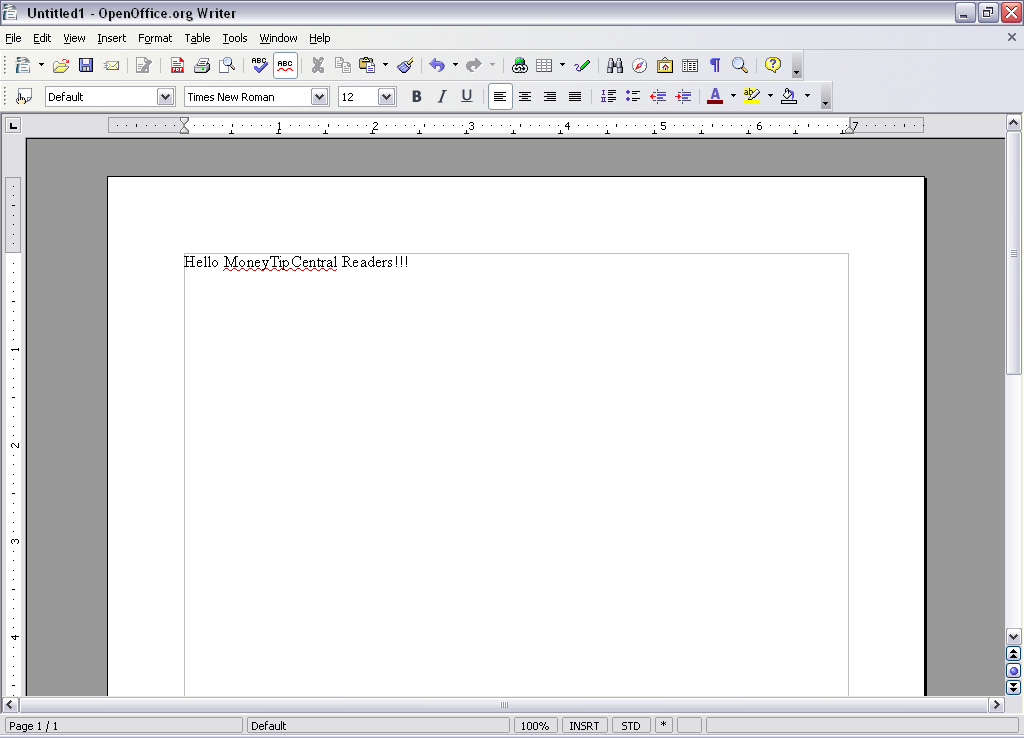
OpenOffice ‘Writer’ works better than MS Word
You can see from the tool bar and menus are very close to what you are used to in most word processors. There are two features that I really like about Writer: 1) There is an auto complete that offers a suggestion for the end of the word you’re typing. If you agree with the suggestion simply hit the space bar and OpenOffice will finish the word for you. 2) They offer an export to PDF button in the menu.

One of the best features about OpenOffice Writer is that it can open almost any file type. It doesn’t matter if it’s a .doc, .wps, or .xml it will open it. That feature alone is invaluable.

Calc
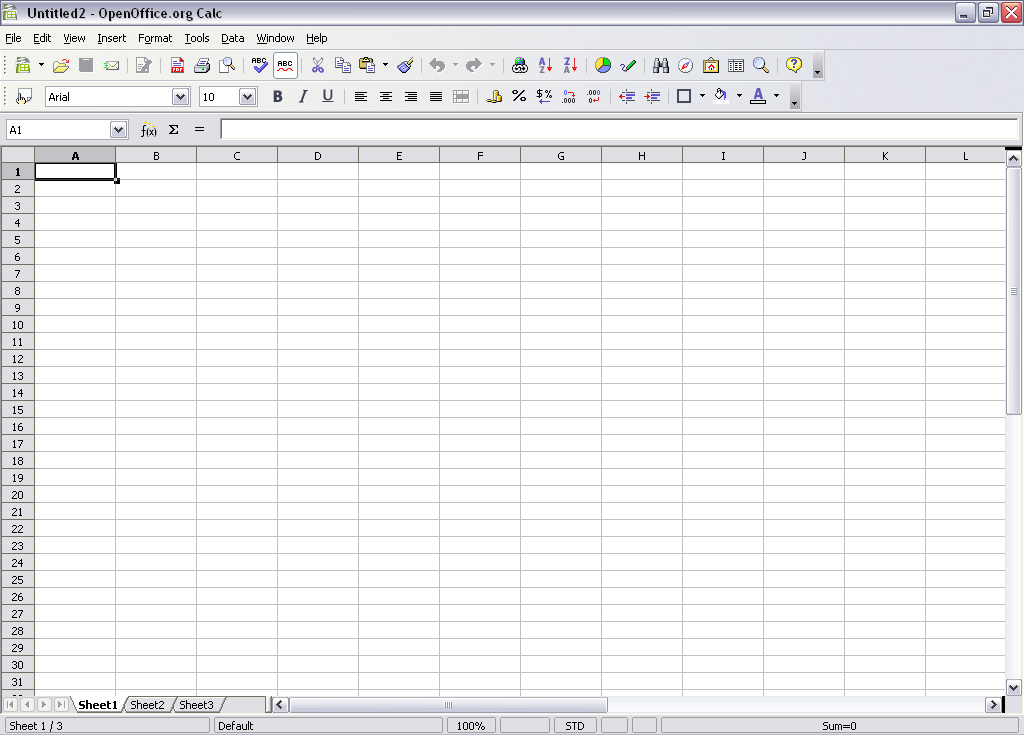
OpenOffice Calc Screenshot
Calc is OpenOffice’s spreadsheet program. It looks to have a robust set of tools and standard features like you’d see in Excel. The one thing I’ve really appreciated is that Calc has many of the word processing featured built in. The spell-check-as-you-go works great. It saves me the embarrassment of sending out a spreadsheet riddled with my poor spelling attempts.

Base

OpenOffice Base
Base is a database creator like Microsoft’s Access. Like the other applications it allows you to open and edit third party files. If you were to buy Access you’d have to pay extra for it because it’s generally not included in the standard office suite.

For a startup business OpenOffice’s Base could be a life saver.

Impress
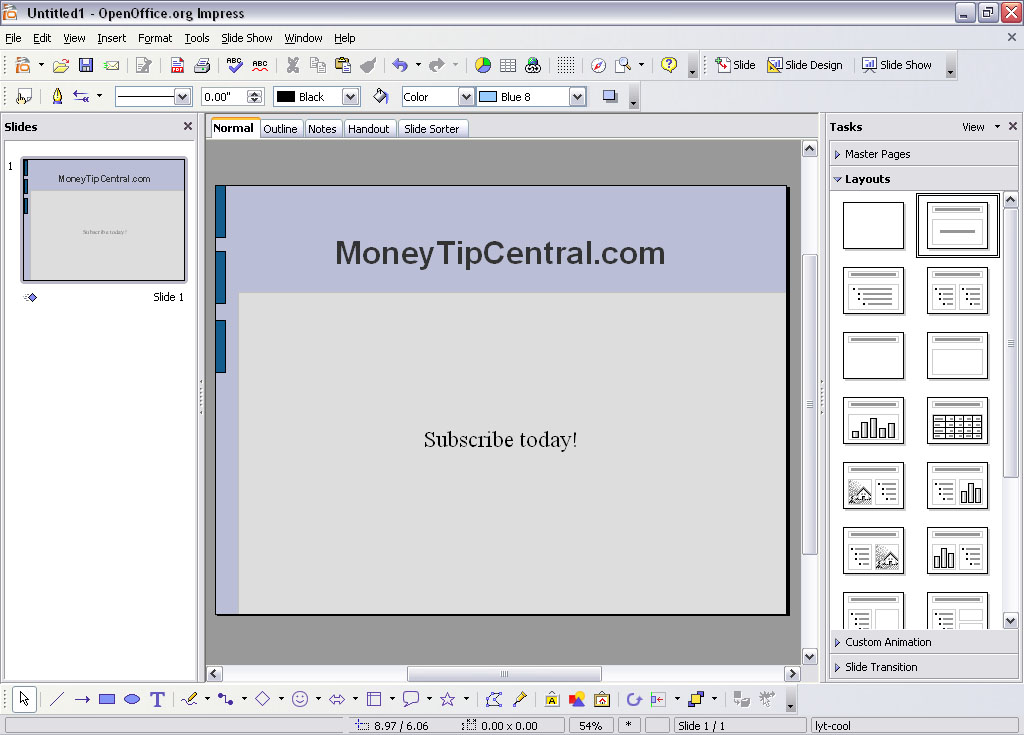
OpenOffice Impress
Impress offers a wide range of tools and resources to make eye popping presentations. Because the community is so active you won’t have any problems finding new templates or add-ons to spice up your presentation. Impress definitely rounds out the OpenOffice offering, making it a very attractive tool for all your business needs.

Draw
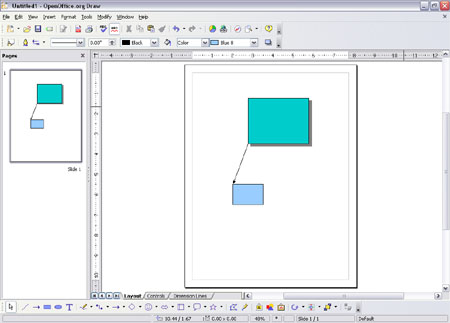
openofficedrawbig.jpg
OpenOffice Draw provides the flexibility you might not find in a word processor or a power point slide. Draw gets out of the way and allows you to make a page with video, audio, charts, graphs, shapes, text, and more if you’d like. If you had a notepad and you were trying to write down all your ideas Draw gives you the same flexibility. So cut loose and create something fun with this one.

Summary

OpenOffice has done a great job in providing an alternative to the standard office suite. There has been a lot of thought put into each of these applications. In many ways they have invented a better mouse trap and are giving it away for free.

Download OpenOffice

Tagged with:
 

When considering a Roth 401(k) vs a Traditional 401(k) you need to do one thing: Find out if your employer offers Roth 401(k) retirement accounts. If they don’t most of this information will be interesting but you can’t take advantage of any of it until your employer makes Roth 401(k)s available.

In should be noted that Roth 401(k)s are coupled with Traditional 401(k)s. The maximum contributions for both combined cannot exceed $15,500 for the year. If you are 50 + an additional $5,000 per year can be contributed to “catch up”.

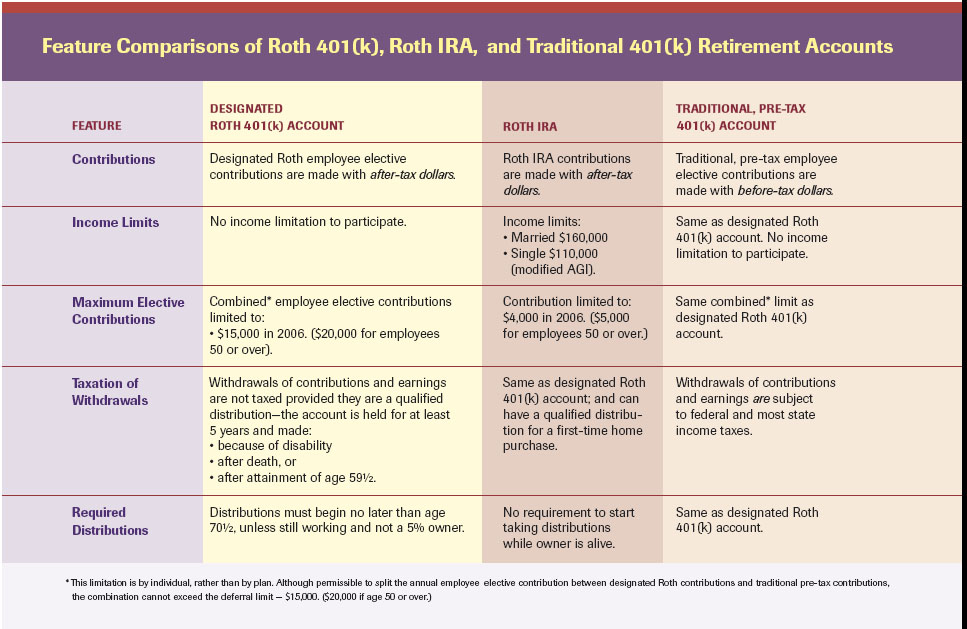
401K comparison chart
This chart shows 2006 numbers. Add $500 to the limits for 2008 standards.

Roth 401(k)

Contributions:

  • Contributions are made with after tax dollars
  • Contributions and earnings grow tax free. Because the money was already taxed it won’t be taxed when you pull it out.


Employer Match:

Employers match are sent to Traditional 401(k). Roth 401Ks can’t accept employer match money.

Max Contributions:
$15,500 per year. For those that are 50 years old or more can add an additional $5000 yearly.

Distibutions:

Qualified distributions can be made after 5 taxable years from the opening the account. In addition, you must have either:

  • turned 59 ½ in age
  • died
  • or became disabled

Nonqualified distributions are subject to income tax on earnings.

Hardship withdrawal guidelines are the same for Roth 401(k) as with Traditional 401(k).

Key advantages:

  • No income restrictions. (Roth 401(k)s are available to everyone making a salary with no max limitations while Roth IRA’s aren’t available to those who make more than $110,000 as an individual.)
  • Higher yearly contribution. $15,500 yearly maximum contributions instead of the Roth IRA minimum of $4,000
  • Earnings grow tax free

Disadvantages:

  • Not widely available among employers. Due to the extra cost in accounting and book keeping Roth 401(k)’s aren’t being adopted quickly.

Why a Roth 401(k) is the best choice (if available):
Politicians promise lower taxes each election year but somehow taxes have increased inevitably. As much as I’d love to have someone get rid of taxes I don’t think we’re going to reduce taxes anytime soon. Benjamin Franklin said it best “In this world nothing is certain but death and taxes.”

For this reason a Roth 401(k) is usually always the best choice when compared with a traditional 401(k).

The other side of the argument is if your income tax rate is high now but will be low when you retire a traditional 401(k) might be better.
If your income tax rate is low now and will be higher later the Roth 401(k) is better.

Traditional 401(k)

Contributions:

  • are made with pretax dollars
  • are tax deductible
  • are taxed when distributed.
  • No more than $15,500 plus $5000 if over 50 years old

Employer Match:
The maximum is 6% up to a $230,000 salary for a total of $13,800.

Distributions:
59 ½ is the earliest you can receive distributions.

Early withdrawals are subject to -10% penalty plus any taxes.

Minimum Required Distribution (MRD)

Begins the calender year when participant turns 70 ½ or the calendar year they retire. Required distributions may start even if the participant hasn’t retired. It begins April 1 of the year after reaching 70½.

Hardship Withdrawals:
Optional, varies among different plans
These conditions apply to spouse and minor dependents as well.
Some medical expenses
Some costs on the purchase of a primary residence
Tuition and educational expenses
Preventing foreclosure on primary residence
Funeral expenses
Hardship withdrawals are only available if there are no other means to pay these debts. In other words, this is a last resort.

401(k) Loans:

  • 1-2% above prime
  • Interest goes towards 401(K) account
  • Usually only one loan per 12 month period
  • Failure to repay loan could result in 10% penalty plus other taxes
  • If you leave your job, 60 days is a standard repay time
  • Most loans are 5 year loans


Additional Resources:

http://www.irs.gov/retirement/sponsor/article/0,,id=151926,00.html
http://www.irs.gov/pub/irs-pdf/p575.pdf
http://myretirement.retire.americanfunds.com/tools/calculators/roth-401k.htm


This is a summary and should only used for informational purposes only. Always consult a tax expert before making any decisions regarding your own financial plans.

Tagged with: